With the announcement yesterday that Zite is in talks with CNN for a very sweet deal, today seemed like a great day to review a handful of my favourite news aggregator apps.
ZITE:
Zite has been a favourite app of mine for a while, and I have even recommended it in the past on the PC Live podcast. It’s still one of the only apps I use every single day. Simply put, Zite is a free, personalized magazine which begins to understand your likes and dislikes, therefore improving the content it provides you.
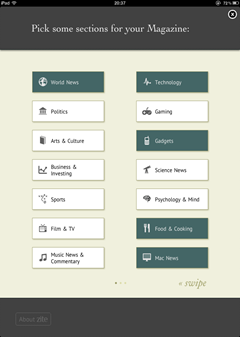
I love Zite for its simplicity. The “choose your topics” section is easy-to-use. The layout makes sense. The app uses familiar “thumbs up/thumbs down” icons so you can let it know if you want more or less like the article you’re reading. The reading layout is uncluttered and relaxed. Customization allows you to change font size and move from serif to sans-serif fonts.
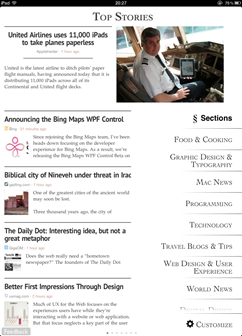
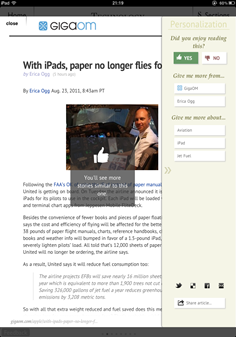
But behind all the simplicity, Zite has a lot of smart things going on. Zite is also taking note of whether you prefer longer or shorter articles, news or opinion content, various sources you click on more than others, and building all of this into its intelligent algorithms. At the same time, it tries to still bring you new content that you might not have otherwise found to help avoid the information silo problem.
If you haven’t used it, this video is a great short overview of what to expect, and it says a lot more in just about a minute than I can:
Zite pro – This app provides the best information to me out of all of them with surprising new sources but always interesting content.
Zite con – I could spend all day reading it.
AOL EDITIONS:
AOL Editions is one of the more recent additions to my iPad assortment of news readers. Launched just a few weeks ago, it’s a bit later to market than most others mentioned here, but for that reason it has taken the time to add some unique features.
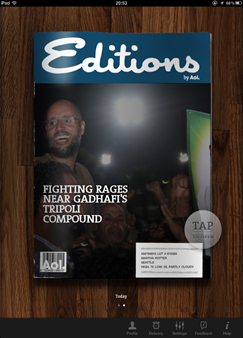

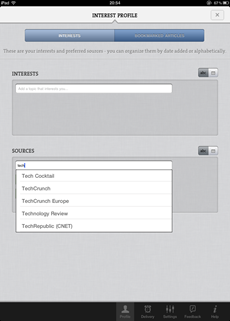
First of all, Editions is very personalized. Almost to a fault. It pulls information out of iCal and your Facebook friends list to give you a sort of agenda. It gives you a weather forecast. Mine however has to be from Seattle as the input section for location is zipcode, so location information is not usable outside the United States. It lets you add sources and interests, but not remove them. For example, I don’t want local (since it’s not relevant as I’m outside the US) or entertainment news, but I cannot remove those sections.
Now for the good stuff.
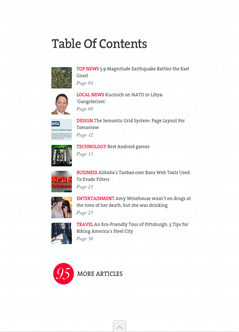
One nice and unique feature is that AOL Editions actively weighs the importance of each story. So as your daily edition is being built, stories appearing towards the top of a source’s homepage as well as stories being shared very actively are featured more prominently. Many times, when you click on a story, you get some keywords to select or remove to help train the app for future news.
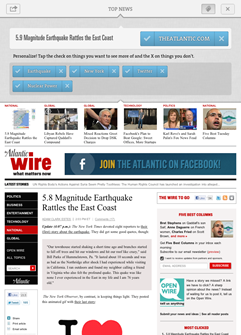
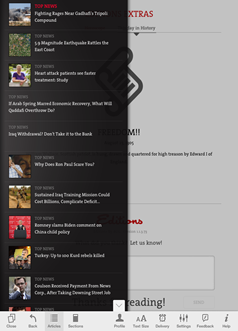
Something else AOL Editions has which other apps don’t is an end point. With most of the apps, you feel like you can read forever. That’s good if you’re bored, but bad if you’re one of those people who never feels like you’ve “caught up.” Each daily edition is designed to be about 20-25 minutes worth of reading time, so it’s possible to get through the whole thing each day if you like.
AOL Editions Pro – The personalization features will appeal to many folks, and regular users will benefit greatly from the way the app learns and weights their content
AOL Editions Con – Keeping the content in the original website view is ugly and doesn’t make for a nice reading experience. Also, the US-ness of the app is a bit of a turn-off for folks outside the United States.
NEWS.ME:
News.me is the only app discussed here that isn’t free. It’s subscription-based: you pay 99 cents a week or $34.99 for an annual subscription. The app was created by the folks at bit.ly & betaworks, and it works only if you have a Twitter account. On News.me you can read your filtered stream as well as the stream of people you follow on Twitter who also use News.me. It’s great if you are curious to know what someone like Clay Shirky or Hilary Mason or Anil Dash is reading.
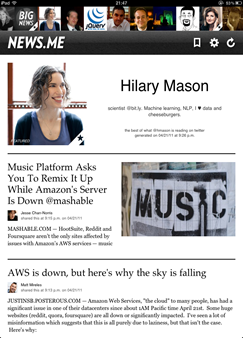
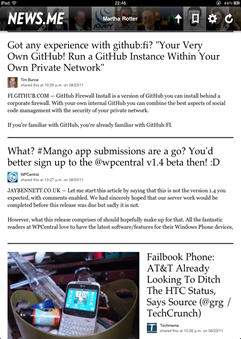
News.me partners with publishers like the New York Times and the Associated Press which haven’t been very friendly to other aggregators. Because there’s no search or “subscribe to a specific publication” features, people can’t use the app to get around paywalls. The subscription fee charged by News.me goes towards paying the partner publications for their content, which is a nice surprise.
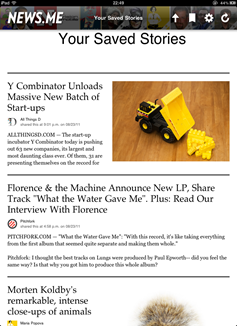
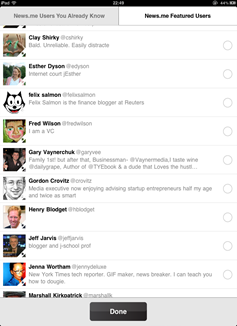
For me, it’s very much like when Twitter first came out. If you were an early user of Twitter, clicking on someone’s profile showed you what they were seeing, instead of just their tweets. That was a long time ago, though; I can’t imagine it could handle doing that anymore! The idea grew from people simply wanting to know what others they follow are reading and what’s important to them. You can get some of that from their retweets and +1s on Twitter and Google+, but this is more like looking at someone else’s Flipboard or Zite. How meta is that?
News.me pro – Perfect for feeling like you can get inside the head of people you follow on Twitter, whether they’re your smart friends or celebrities or tech icons or whatever.
News.me con – It *is* the only aggregator that is charging these days, albeit for some content that you probably can’t get on other apps. If you use it, it’s a very small price to pay (less than a weekly paper), but if you don’t use it it adds up.
PULSE:
Pulse is an underestimated player in this space who has focused on making their content the highlight in lieu of a sexier UI. If the name sounds familiar to you, it’s likely because last year it was mentioned by Steve Jobs in his keynote at WWDC as one of the most promising new apps for the iPad. Later that afternoon, Apple pulled it as the New York Times sent a written notice that Pulse was infringing on their rights. Those problems were solved and the app has been successful in the App Store since.
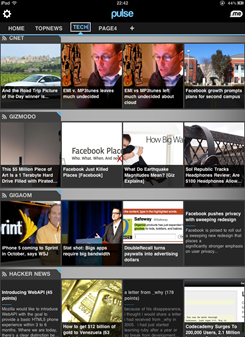
The thing that Pulse gets right that other apps like AOL Editions have missed is a focused reading experience. It’s even less cluttered than Zite’s, but it does let you view on the web if you prefer (here’s a spoiler: you won’t). Pulse integrates feeds from Google Reader and, like Flipboard, has a few prepopulated categories you can choose from.
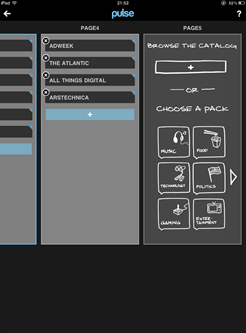
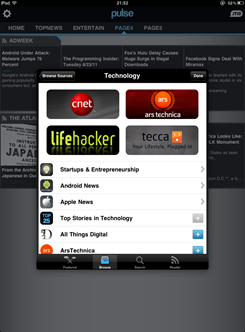
I mentioned that their UI is slightly less sexy than some other apps, but it’s only because the app has been around longer. I probably would not have said the same thing this time last year. Last year, this UI with its large images and alternating text was pretty ground-breaking. However now several apps have stolen the same layout so it’s fairly familiar. They haven’t replaced it because it still works really well.
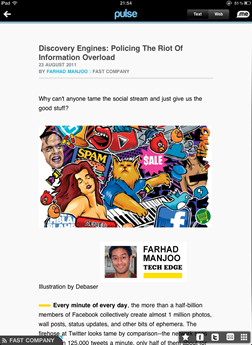
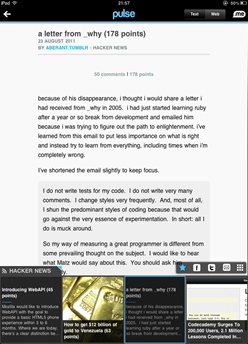
Pulse pro – I love reading in this app. If you prefer a visual UI for the blogs and websites you read, this is custom-made for you.
Pulse con – It’s the least personalized content. Integrating from Google Reader is clunky and manual so it’s not great as an RSS reader unless you have a lot of time to set it up.
FLIPBOARD:
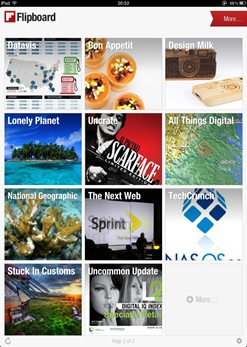
No discussion of iPad news aggregators would be complete without mentioning Flipboard of course. However if you have an iPad, I am pretty sure you have used Flipboard, the original, free social iPad magazine, so I’m going to skip it.
SUMMARY:
There are loads of news aggregators showing up for the iPad, and with Zite’s announcement this week, I’m guessing there will be a lot more competition in the very near future. Check out the above apps if you’re looking for a new one or use the “Genius” feature of the App Store to find one that suits your taste and needs. Be sure to let me know if you find any new and interesting ones.