 In the last month we’ve had some news sources trying an unconventional method of reaching new audiences: Facebook. “Go where your readers live” is the message of news applications within Facebook, and there is certainly no shortage of people who spend a significant amount of time checking in on Facebook throughout the day, whether it is to update their own account or to see what’s going on with their friends and other businesses/events they follow. Today we’re looking at a few of these Facebook-integrated news apps, including WSJ Social by the Wall Street Journal, The Washington Post Social Reader, and The Guardian on Facebook.
WHY INSIDE OF FACEBOOK?
For companies who need advertising revenue and care deeply about page impressions, length-of-time-on-site and other metrics to share with their advertisers, going to an external site and creating a [free] presence there seems like an odd strategy. But there are a few things Facebook offers companies who want to build a reader on top of their platform. First of all, regarding ad revenue, all is not lost. Facebook can sell ad positions around the app just like any of their other content or pages. However any ads appearing inside the app itself are revenue for the app creators. Secondly, the sharing and social nature of Facebook allows extra, free publicity. Readers can easily share and recommend articles to their friends who may not be regular readers of the publication and may take an interest, check out the article, subscribe, etc. Basically Facebook provides a large population of actively sharing, potential readers.
And news sites need to care about where their readers are. Nielsen published a report in September showing where Americans spend their time online. While social network sites like Facebook checked in at 22.5%, reading current events and global news was a paltry 2.6% of overall Internet time.
Subscription costs and pay walls are still important revenue concepts for news sites. While all of the apps discussed below are free, it remains to be seen if they all stay that way. The WSJ Social indicates on their site that content is currently free for an undisclosed limited time, courtesy of their launch sponsor (Dell). As all three apps have links on each article to view it on the original site, I’m not sure what happens if you do that and run into a pay wall.

WSJ SOCIAL
WSJ Social launched about a month ago, right before Facebook’s developer conference F8. Unlike other Facebook news apps like The Washington Post Social Reader, The WSJ Social was a Wall Street Journal-only project, not initiated or otherwise influenced by Facebook itself. The Wall Street Journal have made all content from wsj.com available on WSJ Social, which is surprising to some, considering their pay wall and subscription charges.
Clicking on the WSJ Social app takes you to a Flipboard-style grid layout of articles, showing titles, images, icons of friends who may have read the article, and comment / like counts. On the left you have a column of your “Top Editors.” Clicking on the Help & Information Center tells you that in WSJ Social, you and your friends are editors, and your top editors can be anyone you have chosen to add to your editor list, whether or not they are your Facebook friends. Clicking the plus and minus buttons adds and removes editors, respectively.

The article view is quite similar to the regular web view, albeit a little less cluttered. It’s a cleaner feel, and a distinct lack of “What’s popular today” and “Most discussed articles” type of content blocks. You’ll see comments left by other Facebook users, and have the opportunity to post comments to both the article and your own Facebook feed.

THE WASHINGTON POST SOCIAL READER
The Washington Post Social Reader pulls its stories both from its http://www.washingtonpost.com front page as well as its content partners including The Associated Press, Reuters, Mashable, GlobalPost, etc. Every person will see something different on the front page of the app, as the stories shown reflect a user’s profile and likes as well as stories read and liked by friends.
The top of the app is comfortable to read, showing a headline story and two other top stories. What follows are two columns of article headlines, images and short descriptions, along with the article source and timestamp. They show a small box on the right of trending stories, and on the left they show a column featuring what friends are reading or have read. This column, powered by Trove, feels redundant, because at the same time you have Facebook’s column on the far right telling you what your friends are doing with apps right at this moment.

Viewing articles is a similar experience to reading articles with the WSJ Social. The article is generally a cleaner version of the one on their site and has less distractions, advertisements and unrelated content boxes. You can leave comments on the article and your own Facebook wall.

THE GUARDIAN ON FACEBOOK
The Guardian is no stranger to new and interesting approaches to sharing their content. Their app, which has the most users of the three, is a very different style and looks more like it is actually part of Facebook, possibly due to the colours and fonts used.
The Guardian on Facebook features an activity stream like the Washington Post Social Reader, showing what your friends have read recently. It has a 3-column box showing popular content right now, and a grid below of larger images showing articles people are commenting on most recently. Underneath that is an additional grid of latest features and links to other Guardian Facebook pages.

Article views are again cleaner. They show links to other stories in the same category, followed by options to comment, recommend or alternately post your comment on The Guardian’s external site.
SIMILAR TO MOBILE FIRST APPROACH
All three of these sites were able to reduce the amount of content shown to improve the usability of their Facebook app. Which leads me to believe they did some examining of what people are actually clicking and reading and what people value on the external sites. This is the same thing that Luke W talks about in his excellent “Mobile First” talk, this idea that if we take out all of these things that aren’t the priority and are left with something great, doesn’t that tell us something? Constraints force people to prioritize, and prioritizing your users means making a smaller set of more popular features better to use.
If you haven’t seen Luke’s presentation, you should both buy his book which just came out and take a look at his Mobile First presentation slides, specifically the section about “Constraints = Focus.”
Interestingly enough, I was able to view the apps fine from the browser on my iPad (not iPhone or Windows Phone 7 though), but none of them show up in the “Apps” view on the Facebook mobile apps for iPhone or iPad.
ARE PEOPLE USING THEM?



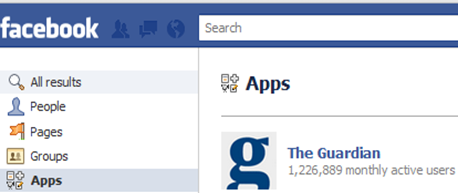
The Guardian reported their millionth Facebook app sign up over the last week and seems to be growing steadily. The Washington Post Social Reader and the WSJ Social, on the other hand, have a bit of a ways to go.
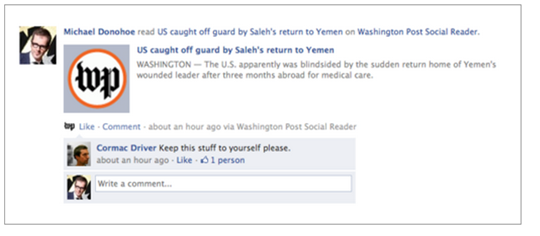
Not every Facebook user is happy with the idea of sharing every article he or she reads, nor do friends necessarily want to see your detailing each story read. Privacy and tedium are both concerns here. Michael Donohoe has a great post here about what happens when your friends notice you are reading certain things.
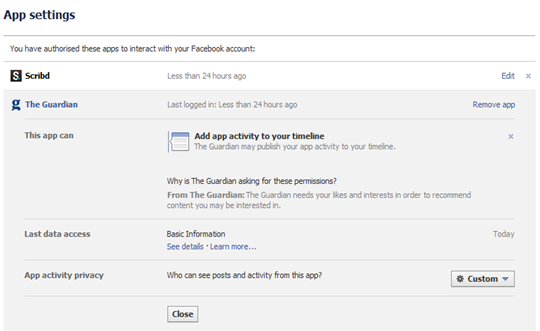 As with many Facebook-related things, there are privacy controls so that users can block their friends seeing certain activities or stop an app from posting to their timeline, but they may not be incredibly obvious or easy to locate/use. It might be hours after your profile has shown that you’ve read a controversial article that you realize it was there, as it’s not always obvious what gets posted to your profile and what doesn’t. By that time, conservative colleagues will have already seen it. It depends how careful you are about locking down your Facebook profile and whether you care about others knowing what you’re reading.
SUMMARY
Facebook’s huge push at F8 of both their Social Graph and news apps using Facebook mean we will see more and more of these types of apps, especially from media and news companies looking for new audiences. It will be interesting to see statistics on whether the “likes” and application users convert into subscriptions and/or traffic for the sites themselves. In the meantime I’d like to ask the news sites to consider that if the apps are in fact working well, maybe it’s worth taking some of the minimized design from the apps back to their own sites to see if it makes a difference.


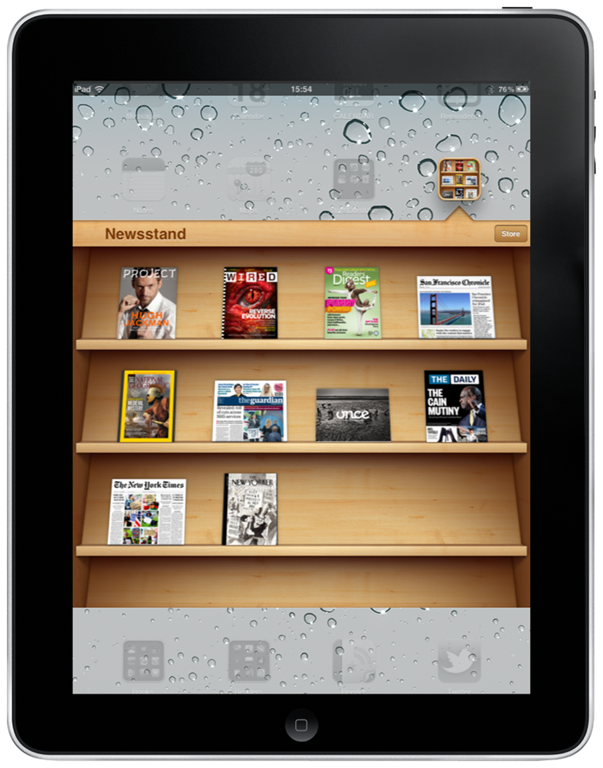
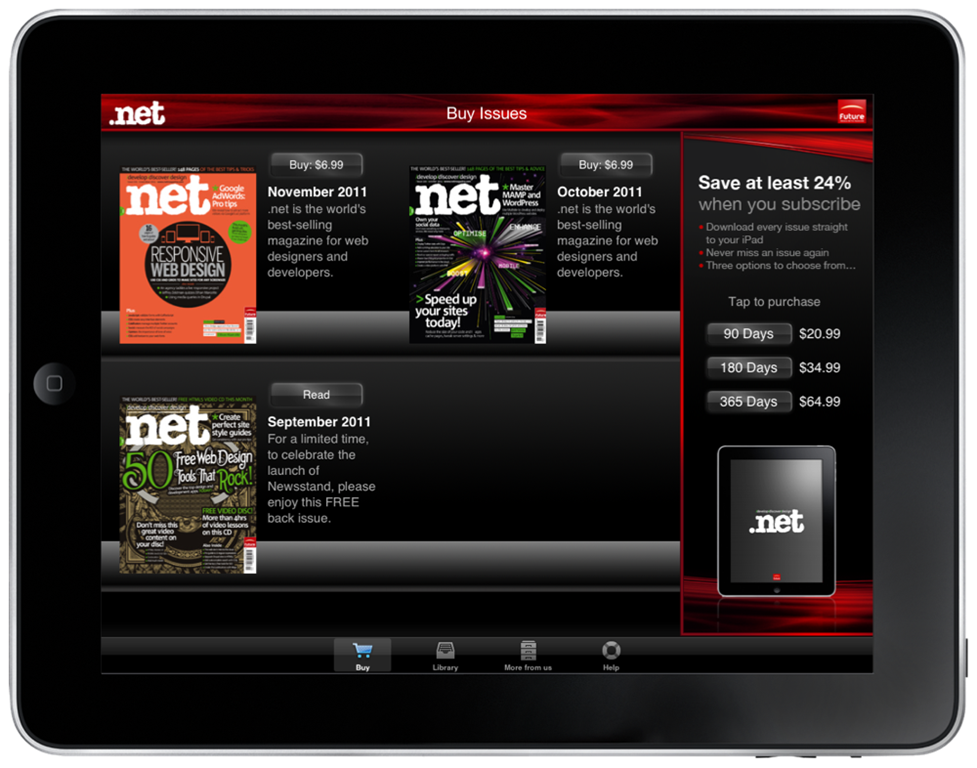
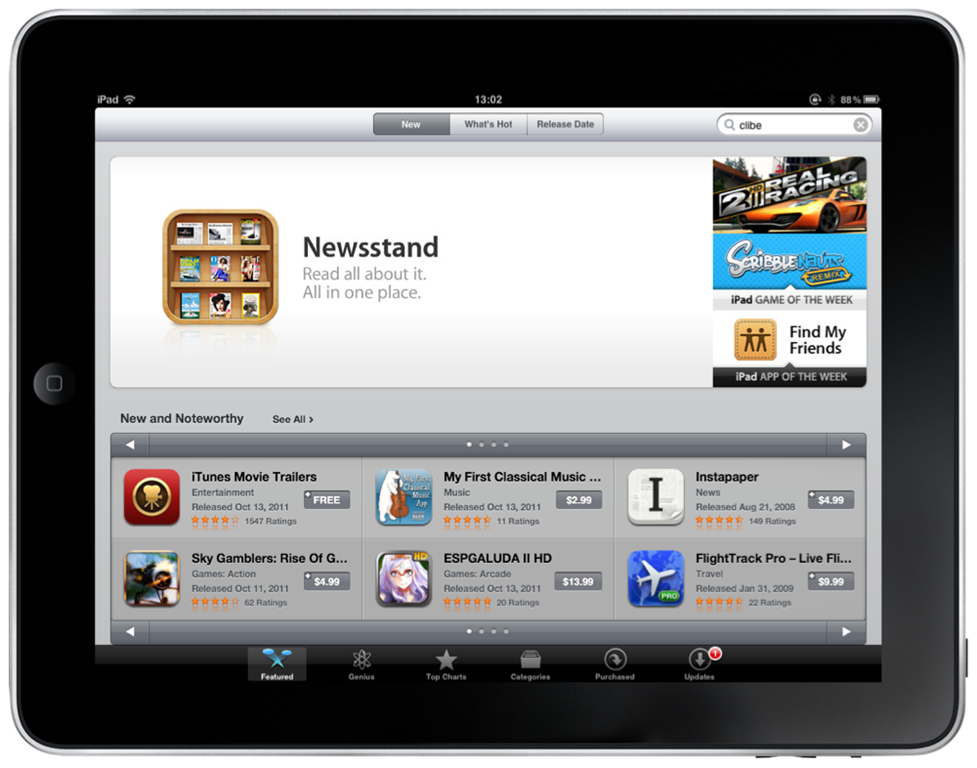
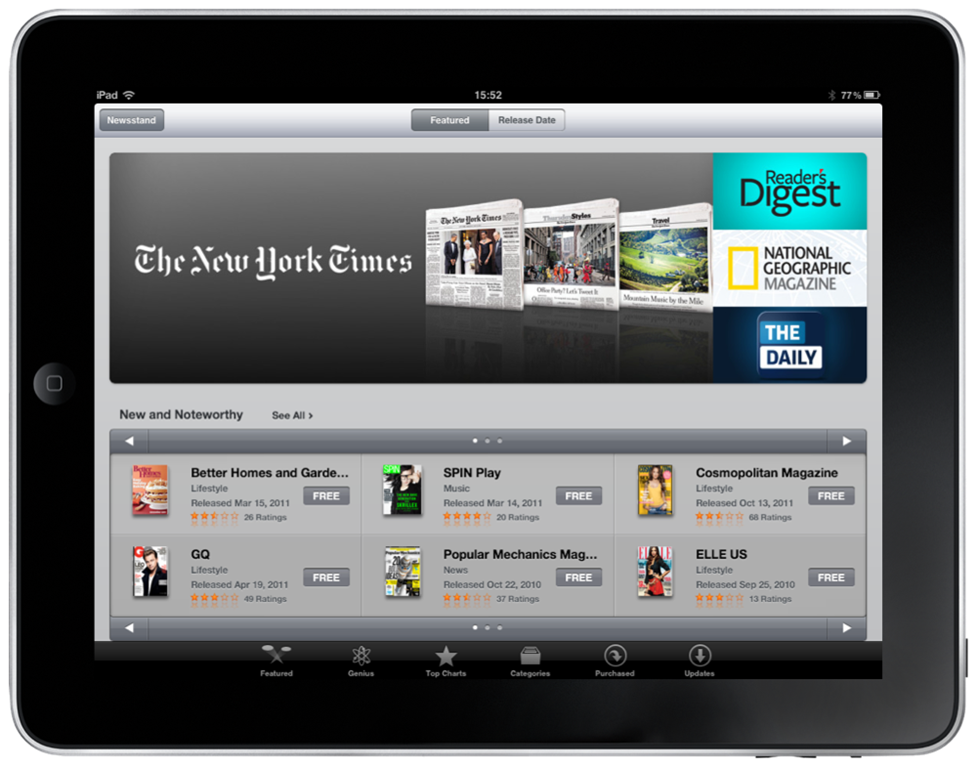
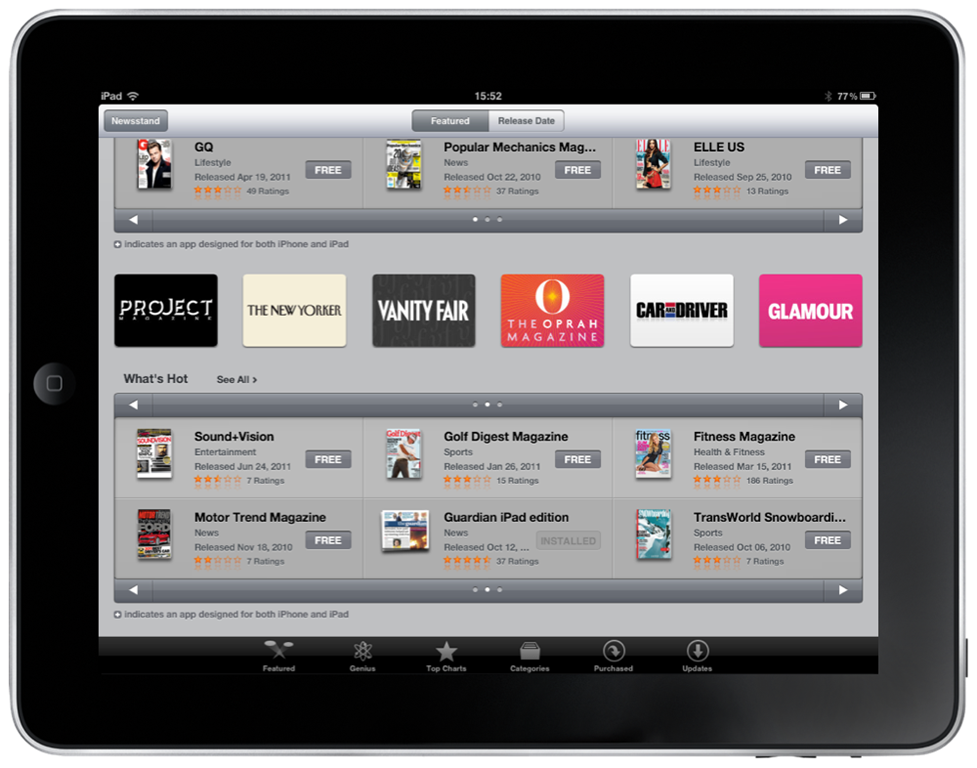
 When iOS5 features were shown earlier this year at Apple’s WWDC, Newsstand was one of the most interesting and talked about ideas. Now that iOS5 is live, it’s time to give it a test drive and see if it meets publishers’ expectations.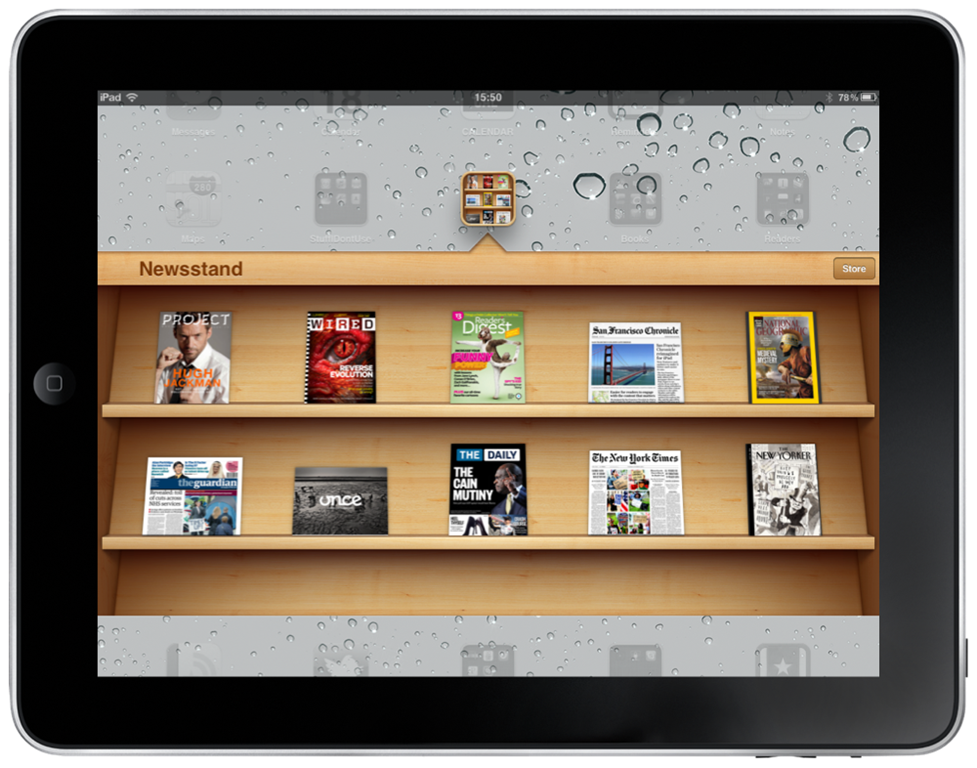
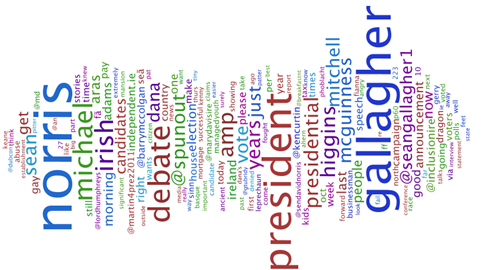
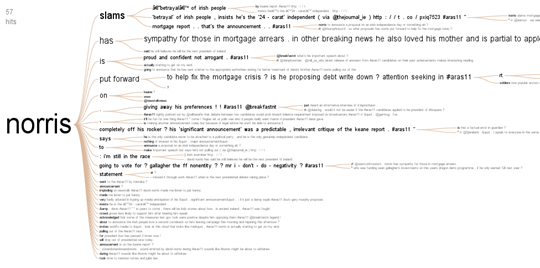
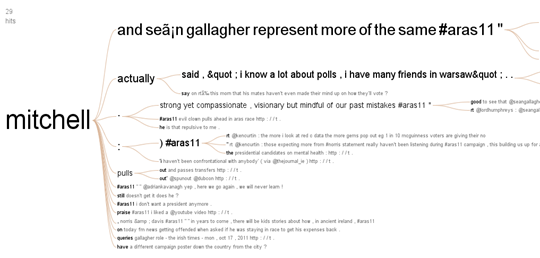
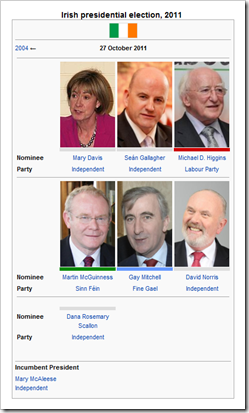 The Irish presidential election is just about a week away. As a non-citizen resident of Ireland, I can’t vote in this election (only local elections). But I still find it interesting so I took a look at some social media data on the topic to make some visualizations. These are not meant to be predictions, it’s just a bit of fun to see what people are thinking today in Ireland.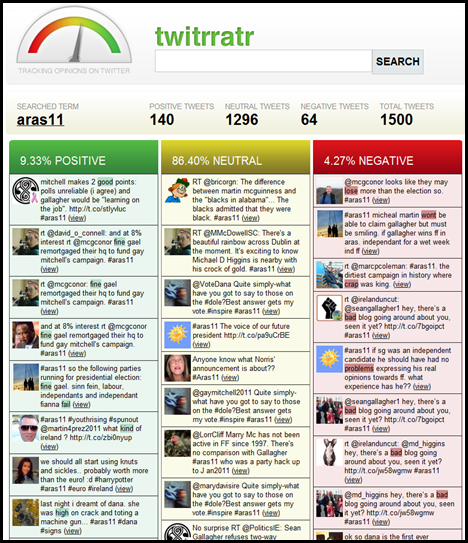

 THE DAILY
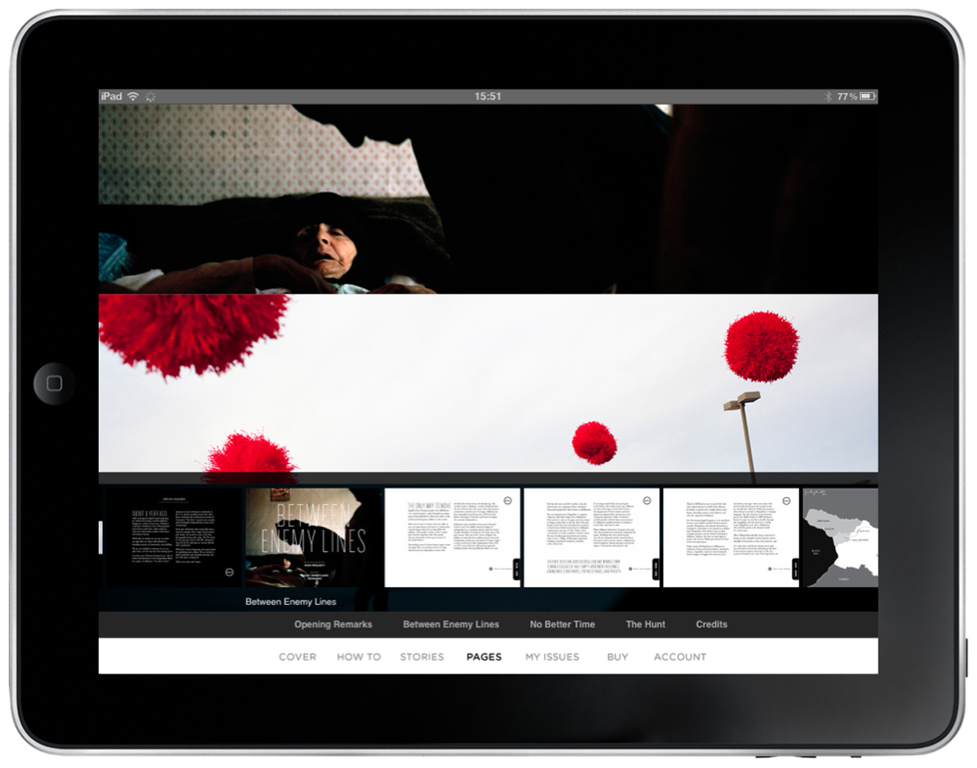
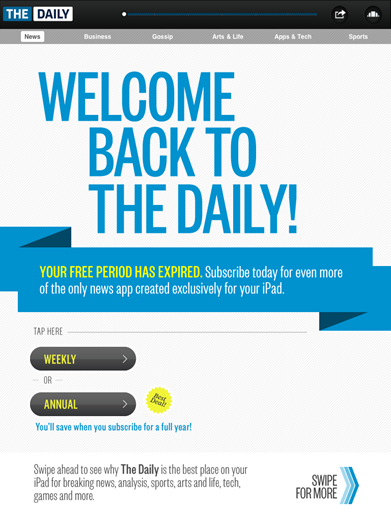 But the app was very heavy. The early versions crashed frequently and took a long time to download each day’s edition. There were bugs. It was slow. It crashed when it tried to detect my location (since I am outside the US). Every few days, the app would forget that I had a paid subscription & require me to sign up again, causing me to fear I was being charged multiple times. Eventually that annoyance and the focus on US news (there is still very little world news coverage except for very big stories) caused me to cancel my subscription.
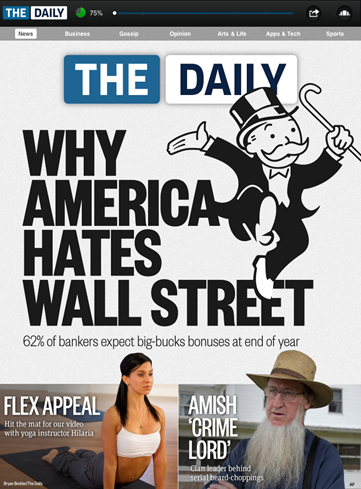 At SND last week, I learned that The Daily has a team of 50 designers to help lay out each day’s issue by hand, 100 pages in total. And then they do it again in landscape mode. They have no automatic templates. They use Adobe tools the whole way through up until they need to put it into the CMS and then rebuild it there. To me, this whole process sounds like a nightmare. An unsustainable one at that.
 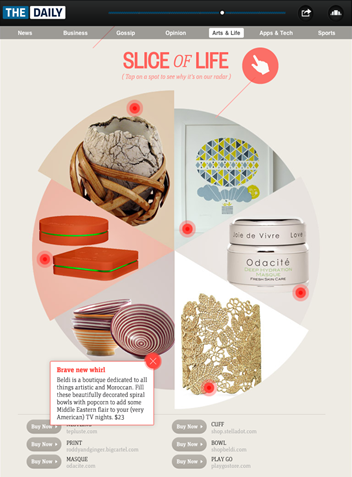 But the pro of this painful process is that The Daily has absolute freedom to design however they want, something most publishers can’t do from either a financial or labour perspective. They can use things like Jamie Beck’s cinemagraphs. They can hand-code HTML5 animations and transitions when they run into CMS limitations. They have freedom to design and customize everything each day. That’s pretty amazing, and something I think a lot of publishers would appreciate, especially given that at every event I’ve been to this year, CMSs have been cited as painful and limiting software.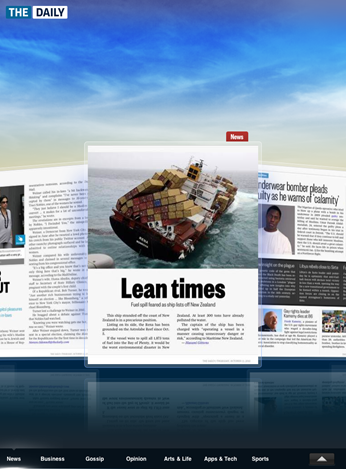
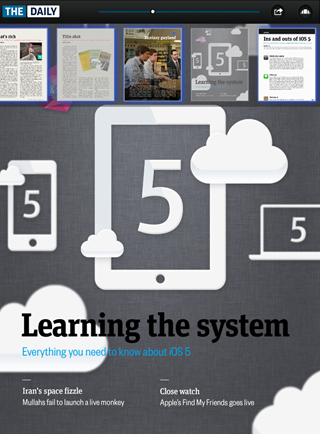 The Daily reported last week that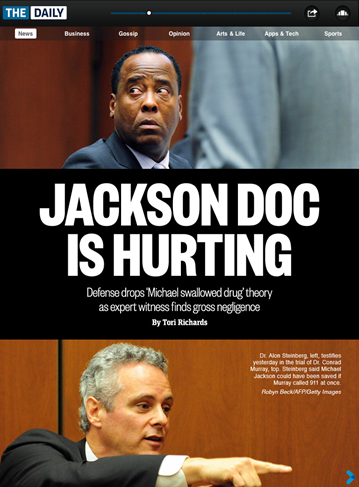
 NEWSY
NEWSY Newsy currently works on iPhone, iPad, Android, and Blackberry. Plus their website has all of their content as well.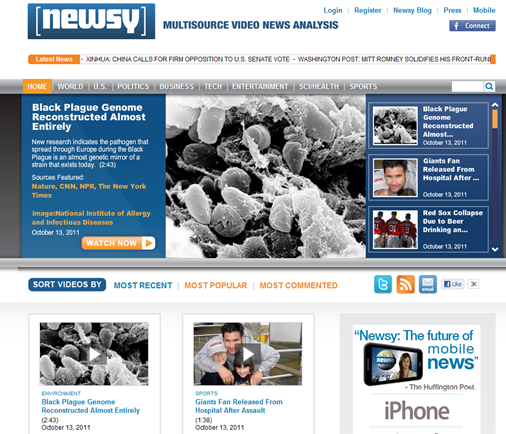
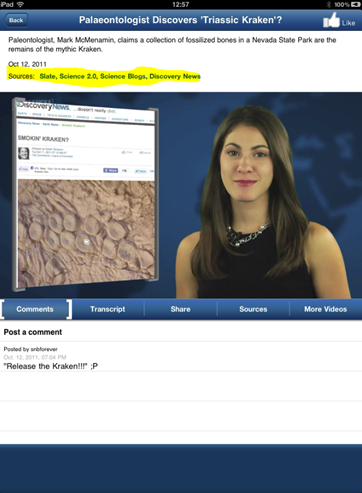 Stories featured on Newsy come from their rotating editorial team, who research blogs, news sites, magazines, television and many other sources. They have their own technology which can record as they do their research to help them put together the whole story when they feel they have a comprehensive, bias-free view. Viewers are invited to comment on stories and contribute as well.
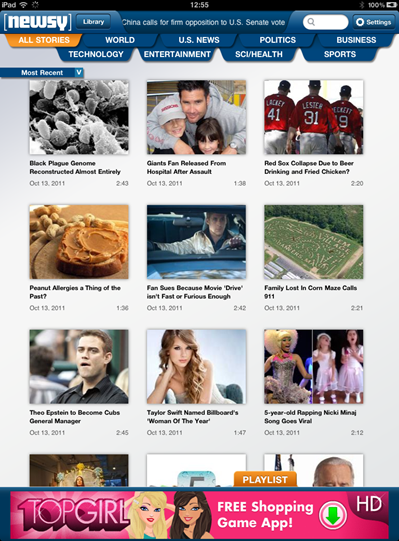 Newsy is a refreshing look at world, US, political, business, tech, entertainment, science and sports news without a bias or an agenda. There are ads on their apps and website, but other than that I’m not sure what their revenue model is. They have been winning awards and getting great reviews, so I’m sure we’ll continue to see them do interesting things.
 NEWS360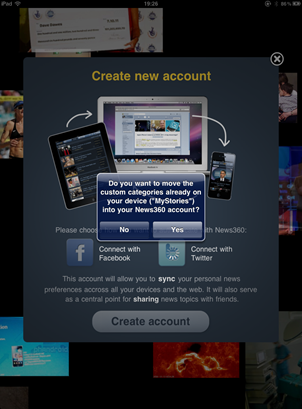

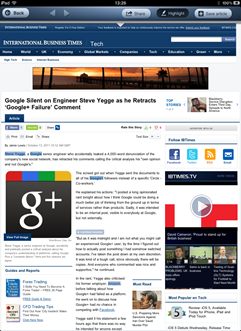
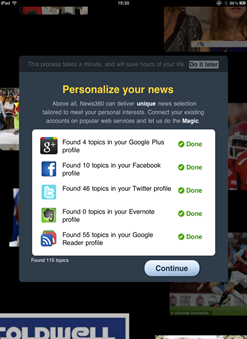
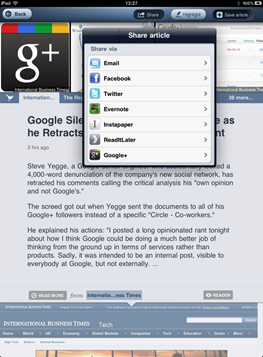 There’s some weirdness in News360. Why do I need a URL to access my stories? Why does it need permission to post to my Twitter feed? Does it actually get value from analysing my Evernote account? Does this process really “save hours of my life?”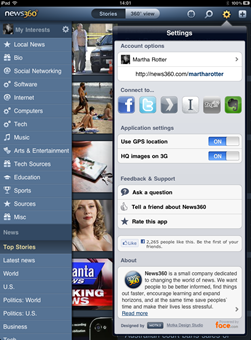

 Cross-Platform Editing – Teresa Schmedding is the president of the American Copy Editors Society and also an assistant managing editor at the Daily Herald in Chicago. Teresa talked about trying to hold the line between editorial quality and actually getting stuff out the door. Her stories of pet peeves of writers and editors she’s dealt with were highly entertaining. It’s hard to know what’s worth fighting for. You will have readers who will write and complain about certain edits so you have to know what your standards are.
 Designing a Responsive News Website – Everyone working on the web at this point has to have seen the Boston Globe redesign at
 How to Make News Apps in your Newsroom – Several times on this blog I’ve mentioned the fact that trying lots of different things and being able to work news, magazines and media more like an agile start-up is a great way to get ahead of the competition. Brian Boyer from The Chicago Tribune and Scott Klein from ProPublica talked about news apps which are software. This is a new area, so these aren’t people in your company who can fix your computer or get the server back online, they’re people who can build newly capable applications to visualize stories or interact with users.
 Finding the Web Designer Within – These two guys from Upstatement had amazing slides that they published ahead of time so you could follow along. The slides are great because they point out that a lot of what news designers have been trained to do are very useful skills for web design. Things like grids, typography and being able to organize volumes of information are all skills that can transfer to web design.
 Adios, Arial! New Tools for Taking Beautiful Typography from Print to Digital – Typography is so important for readability on the web, and Alan Tam, Sam Berlow and Danny DeBelius gave a great talk and examples on why you need to test every scenario, why the results can change and some technology to use to help. Sam recommended tools like the web font preview on
  Closing Keynote with Robin Sloan and Matt Thompson – This presentation was definitely one you did not want to be late for. The session was live-streamed, and below is the video. Robin and Matt are amazing speakers and it’s definitely worth watching their take on what the future of reporting a natural disaster might be like with their video called The Storm Collection and the brilliant talk that follows:
 DATA VISUALIZATION WORKSHOP
 CONFERENCE DAY 1
 Mobile & Tablet Research Roundup – This was an overview of tablet and mobile research by Roger Fidler & Regina McCombs. Some interesting stats from thinkMobile & Google research on how people are using smart phones
 Fun101 — A strange title for a talk at a news design conference, but Fun101 with
  Designing Personalized Tablet News – This was a panel with Bobby Ghoshal from Flud, Mark Johnson from Zite & Joey Marburger from Trove. It was a good panel where each aggregator talked about their decisions on multiple platforms, how much setup to give the user (i.e., do you seed them with feeds, let them choose, etc.), how they allow users to share, revenue streams and more. My takeaway from this was that these are in a dangerous spot as they rely a great deal on the lack of pay walls or a system to integrate with news sites. The aggregators don’t want to do a ton of work for each site they allow their users to access so the tougher a news site’s pay wall, the more likely the aggregators won’t include it. Having just seen the fantastic film
  Keynote Speaker: Rob King – Rob King, VP & Editor-in-Chief of ESPN Digital Media gave a fantastic talk on dealing with change in your personal and professional life.
  Designing the Magazine and Issue-based Tablet Experience – This talk was given by Mike Schmidt from The Daily, Claus Enevoldsen from Next Issue Media and Robert Newman from Reader’s Digest. Very good session on the tools they use, how they spend their time and production flow. I was terrified to learn that at The Daily, there are 50 people on just the design team, and that they have no automatic templates so every day they handcraft over 100 pages. Then they do it again in portrait mode. Yikes.
 Touching News: The New Rules of Tablet Media – This session was one of the ones that made me sign up for this conference. I read Josh Clark’s book Tapworthy earlier this year and loved it. Josh had some of the best slides of the event, but he also automated his Twitter account to tweet additional interesting blurbs about his talk as he was speaking. Magic! Josh had excellent UI tips, usability and interaction examples, and was basically all around brilliant. Excellent speaker – go listen to him if he’s speaking near you any time soon. His beautiful slides are here:
  Building in HTML5 & Bypassing Native Apps – I loved this session, not just a little because one of the developers from The Onion was speaking. Alan Herzberger from The Oklahoman & Michael Wnuk from The Onion gave very honest overviews of why they chose to build with HTML5 instead of iOS and their internal processes that happened for design, development, CMS modification, etc. Very interesting and candid discussion about the pain they went through, what works and what doesn’t.
  Visual Conceit: The Secret Ingredient of the Secret Ingredient – Adonis Durado has a tough job. As Design Director of two newspapers in Oman, he works with designs and layouts in both English and Arabic and has to deal with a very reserved audience where showing skin to get more readers is not an option. Adonis talked about creating pages and layouts that make people think and surprise them. He showed a lot of examples of his papers’ compelling designs and “Wow factor” creations. He cited hiring a diverse team with different backgrounds and voices as one of the defining factors of his successful transformation of the papers from unknown to award-winning. His hand-out from the talk is here: